

Reddybook ID: Registration, Login & Account Management
A Reddybook ID is the single account that holds a user’s funds, bets, bonuses, and transaction history on the Reddybook platform. One ID covers the sportsbook, the live casino, and the slots library, so separate accounts for each product are not required. The registration process takes about two minutes on a phone or desktop, and the same credentials work on the website, the Android app, and the mobile browser version.
What a Reddybook ID Gives You
Without an ID, a visitor can view odds and browse markets, but placing a bet requires a registered account. With an ID, the full platform opens up.
- Access to every market: Cricket, football, tennis, kabaddi, live casino tables, and slots all run under one login.
- A personal dashboard: Bet history, open positions, statement downloads, and saved payment methods sit in one place.
- Safe money handling: Deposits and withdrawals pass through the ID only, and every rupee in and out is logged against the account.
- Bonus eligibility: Welcome offers, reload bonuses, and referral rewards apply to verified IDs only. No ID means no bonus.
The ID also ties into the VIP and loyalty program. Every wager earns points, and points move the account up the Bronze, Silver, Gold, and Platinum tiers.

How to Create a Reddybook ID
Registration runs entirely on the official website or the Android app. The steps below follow the exact order the platform uses.
Open the official Reddybook site
The address should be typed directly or opened from a trusted link. Random links from messages and pop-up ads should be avoided, as lookalike pages exist to steal credentials.
Tap the Register button
It sits at the top right of the homepage, in a bright colour on both desktop and mobile.
Enter the personal details
Full name, date of birth, and email address are required. The real name must be used because it must match the bank account or UPI ID used later for withdrawals.
Add a mobile number
This number becomes the login for most accounts, so it should be one the user owns and checks daily. Indian numbers (+91) are accepted.
erify with OTP
A 6-digit code arrives by SMS and should be entered within a few minutes, as codes expire quickly.
Confirm the email
Reddybook sends a verification link. Clicking it activates alerts for withdrawals, bonuses, and security notices.
Set a strong password
A mix of uppercase and lowercase letters, numbers, and a symbol works best. Passwords from other sites should not be reused.
ccept the terms
The bonus rules and withdrawal policy should be read at least once, as they govern every offer on the platform.
Submit and wait for activation
Most accounts go live instantly. A small number take a few hours for a background check.
After activation, the user can deposit and start betting straight away. Withdrawals stay locked until KYC is complete.
KYC Verification: Documents and Timeline
Reddybook allows deposits and betting before KYC, but the first withdrawal requires a verified account. Three documents are asked for:
- Proof of identity: Aadhaar card, PAN card, passport, or driver’s license. The photo and details must be clear.
- Proof of address: A utility bill or bank statement from the last three months.
- Proof of payment method: A screenshot of the UPI ID or a bank passbook page showing the name and account number.
Verification usually finishes within 24 hours. Busy periods, like the IPL season, can stretch it to 48 hours.
Common hold-ups and their fixes:
- Blurry photos get rejected. Documents should be shot in daylight, flat on a table.
- A name mismatch between the bank account and the ID card stalls everything. The bank record should be corrected first, or support contacted.
- Expired documents fail instantly. Dates should be checked before upload.
The name on the account, the ID document, and the payment method must all match. That rule blocks most account-takeover fraud before it starts.
Reddybook Login on Desktop, App and Mobile Browser
On desktop:
The user opens the site, selects Login, and enters the mobile number or username and password. A captcha may appear after repeated failed attempts.
On the Android app:
The login screen is the first thing shown. Biometric login fingerprint or face, works on supported phones once switched on in settings. It removes the need to type passwords on a small screen.
On the mobile browser:
The same credentials work, and the session stays active between visits unless logged out manually.
One ID runs everywhere at the same time. Active sessions show in account settings, and any device can be logged out remotely if a phone is lost or shared.
Password Recovery and Two-Factor Authentication
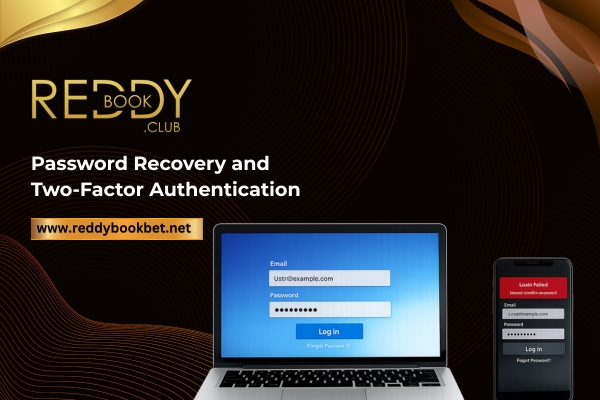
If the password is forgotten, the user taps Forgot Password on the login screen, confirms the registered number with an OTP, and sets a new one. The process takes under two minutes. The new password should differ from the old one and from passwords used on other sites.
Two-factor authentication (2FA) can be switched on under Account Security. Every login then asks for a code by SMS or authenticator app, on top of the password. If someone obtains the password, 2FA keeps them out of the funds.
Reddybook will never ask for a password or an OTP over chat, phone, or email. Any message requesting either is a phishing attempt and should be reported to support.
Common Registration Problems and Fixes
OTP not received
Wait 60 seconds and request again. Signal should be checked and SMS from unknown senders should be unblocked. If nothing arrives, the WhatsApp OTP option or support can be used.
Document upload fails
Files must stay under the size limit, usually 5 MB, and be in JPG or PNG format. The image can be compressed or retaken. If the upload button freezes, the browser cache should be cleared.
Account approval delayed
Background checks slow down during IPL season when sign-ups spike. A second account should not be created, as duplicate accounts get both IDs banned and withdrawals frozen. Support should be messaged with the registered number instead.
Page errors or dead buttons
Ad blockers should be turned off, the browser updated, or the app used. Most glitches come from browser extensions blocking scripts.
Wrong details entered
A typo in the name or number can be corrected by support before KYC, but only with the original documents in hand.
Keeping the ID Safe
A few habits cover almost every risk. The password stays private and unique. OTPs are never shared, not even with someone claiming to be Reddybook staff. The site address is typed directly instead of clicked from messages. Shared devices get logged out after use, and public Wi-Fi is avoided for deposits and withdrawals.
The platform adds its own layer: encrypted connections, device checks, login alerts, and withdrawals limited to accounts in the user’s own name. Between the two, the account stays locked to its owner.
Responsible Use of a Reddybook ID
The ID carries tools to keep betting under control. Deposit limits can be set daily, weekly, or monthly, and lowering a limit takes effect instantly while raising one waits 24 hours. Session reminders nudge after a chosen time online, and reality checks show time spent and the net result for the session. Cool-off periods pause the account for 24 hours to 30 days, and self-exclusion locks it for 7 days, 30 days, or permanently.
The account is open to adults of 18 and over only. Betting should stay a form of paid entertainment, never a way to recover losses.