

Reddybook App: Mobile Betting for Android and iOS
Reddybook runs a mobile platform built for the Indian market. The Android app and the iOS web app carry the same wallet, the same Reddybook ID, and the same markets as the desktop site. Most users place their bets from a phone, so the platform puts its fastest tools on mobile: live odds that refresh in under two seconds, two-tap bet placement, and UPI deposits that land in minutes.
Why Users Install the Reddybook App
The browser version works fine, but the app is built for speed. It opens in under two seconds on most phones, keeps the user logged in, and loads markets before the page finishes drawing. That speed matters when odds move ball by ball.
Push notifications are the other main reason users install the app. Alerts can be set for match start, wickets, odds spikes, and bet settlement. The screen no longer needs to be refreshed to check a result.
The mobile layout suits small screens better than the browser. Buttons are larger, the bet slip sits at the thumb, and live scores update without any input. Reddybook also runs install rewards and occasional app-exclusive deposit boosts on mobile.

Reddybook APK Download for Android
The APK runs on Android 6.0 and above, needs about 60 MB of free space, and works on 2 GB RAM phones without lag. Download it only from the official Reddybook site. Third-party APK mirrors often bundle adware or, worse, a fake login screen that steals credentials.
Install steps:
- Open the Reddybook site in the browser and tap the Android download button.
- Wait for the APK file to finish downloading.
- Go to Settings > Security (or Apps) and turn on “Install unknown apps” for the browser.
- Open the downloaded file and tap Install.
- Once installed, switch the unknown apps setting back off.
About permissions: the app asks for storage (to save the APK and cache images), network access, and notifications. It should not ask for contacts, SMS, or call logs. If a version asks for those, it’s fake and should be deleted.

How to Update the Android App
The app checks for updates on launch and shows a prompt when a new version is out. You can also update it manually by downloading the latest APK from the site and installing it over the old version. Login details and wallet balance carry over.
Recent versions added biometric login, faster live odds refresh, and a dark mode for night matches. Bug fixes covered UPI payment callbacks that occasionally hung, plus a crash on the session markets screen during high traffic. Keep the app updated, as older versions sometimes lose odds feed stability during big matches like IPL finals.
Reddybook iOS App: iPhone and iPad Setup
There is no Reddybook app on the Indian App Store. Apple’s gambling rules keep most betting apps off the store in this region. iPhone and iPad users still get a near-app experience through the web app, which runs in Safari and behaves like a native install.
Setup steps:
- Open the Reddybook site in Safari.
- Tap the Share button (the square with the arrow).
- Scroll and tap “Add to Home Screen.”
- Name it Reddybook and tap Add.
The user then gets an icon on the home screen that opens the site full screen, without Safari bars. Safari’s cache makes repeat loads fast, and the shortcut keeps the user logged in between sessions. Biometric login works on supported iPhones once switched on in settings.

App Features and Capabilities
Live streaming sits inside the app. The user can watch the match and tap the odds without switching screens. Bet placement takes two taps: tap the odds, confirm the stake. During live cricket, that speed is the difference between getting a price and missing it.
Real-time notifications cover odds movement, match start, and settlement. Account management covers deposits, withdrawals, statement history, and KYC uploads. Transactions run on the same encrypted channels as the desktop site, with UPI and Paytm built in.
Offline, users can still view bet history and account balance from the last sync. Placing a bet needs a connection, but reading a position does not.

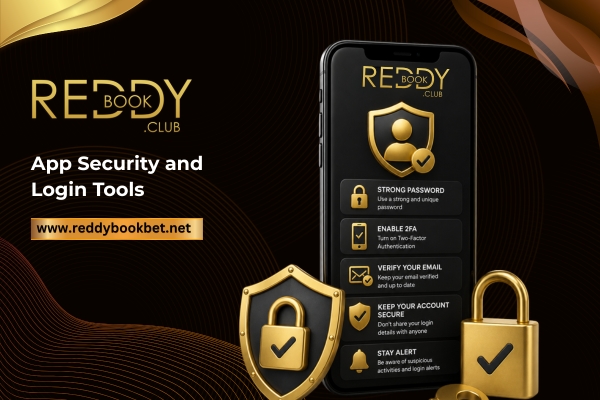
App Security and Login Tools
The app adds its own security layer on top of the account. Biometric login, fingerprint or face, replaces the password on supported phones. Two-factor authentication can be switched on under Account Security, asking for a code by SMS or authenticator app at every login.
Reddybook will never ask for a password or an OTP over chat, phone, or email. Any message requesting either is a phishing attempt. The official app is the only version you should install.
Responsible Use on Mobile
The same controls that run on desktop work inside the app. Deposit limits can be set daily, weekly, or monthly. Session reminders nudge after a chosen time online, and self-exclusion locks the ID for 7 days, 30 days, or permanently. The app is restricted to users aged 18 and over, and betting should stay a controlled form of entertainment.